FilaForms
Signature Fields in Laravel Forms: When You Need a Real Signature, Not a Checkbox
Signature Fields in Laravel Forms: When You Need a Real Signature, Not a Checkbox
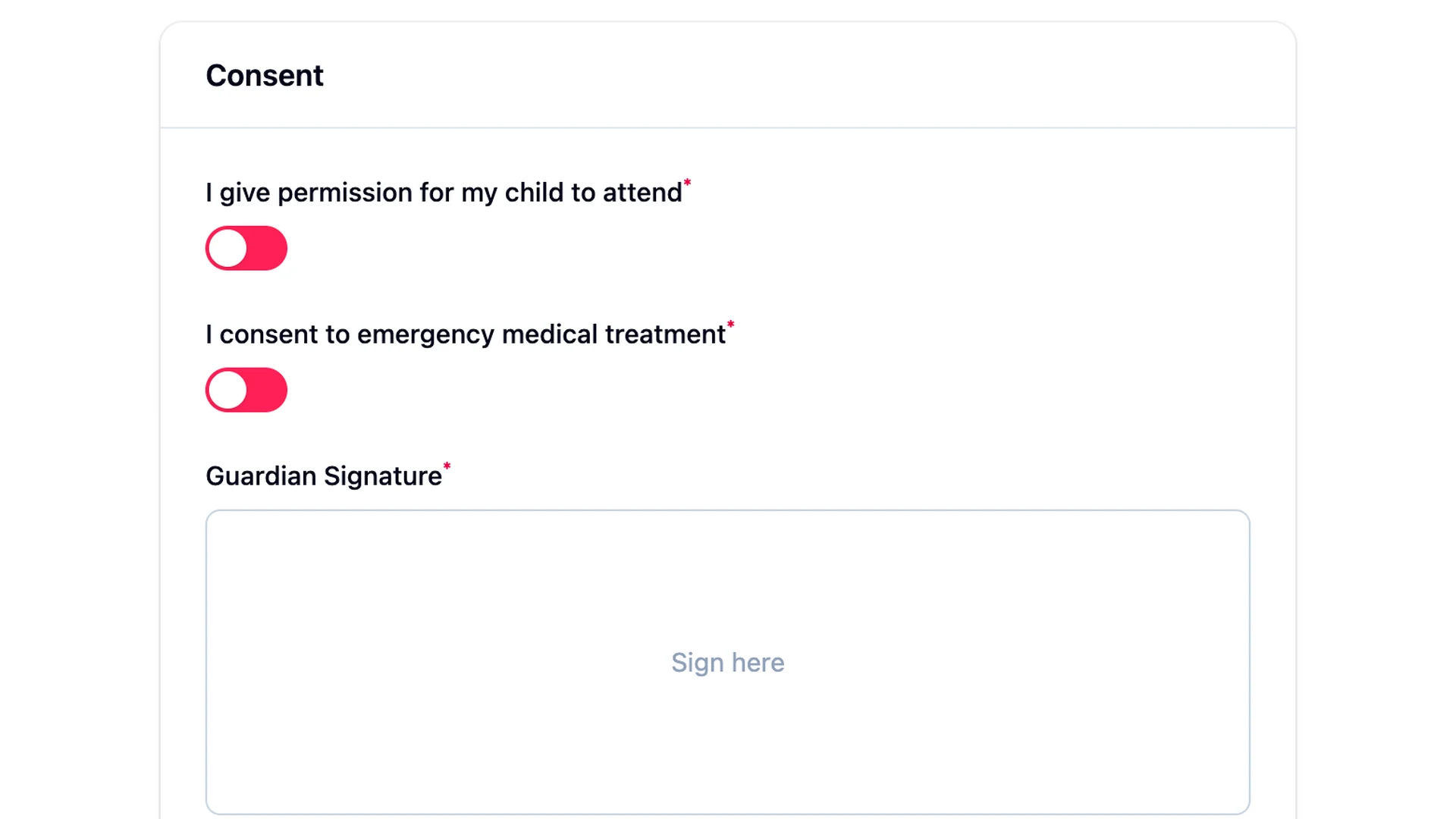
A client emailed me on a Thursday: "we need a real signature on this waiver." The form already existed. The waiver text was on the page. There was a checkbox at the bottom labelled "I have read and agree." That checkbox had been there for six months. It had been fine for six months. It was no longer fine.
The thing about a Laravel signature field on a form is that nobody asks for one until they need one. Then they need it by Monday. The shape of the problem is small: capture a signature image, store it next to the submission, and produce something a lawyer can look at without flinching. The shape of the solution is also small. It is not DocuSign at forty dollars per user per month for what is, in the end, one extra field on a form your team already runs.
The trick is knowing when a checkbox is enough and when it isn't. The other trick is knowing where capturing a signature stops being a form problem and starts being a contracts problem. Most of the time, you're on the form side of that line. Let's stay there for a minute.
What is a signature field in a Laravel form?
A signature field renders a small canvas inside the form where the user draws with a finger or a mouse. On submit, the canvas is captured as a base64-encoded image, validated and re-encoded server-side, and stored as a real file alongside the submission. The field saves the picture; the surrounding submission metadata (IP, user agent, timestamp) is what makes it auditable.
When a checkbox actually is enough
A checkbox is enough when the consequence of the click is small and the audience is internal. An internal acknowledgement that someone read the new remote-work policy. A click-wrap on a low-stakes terms-of-service update. An employee confirming they ran the security training. The legal landscape around what constitutes a binding electronic signature is fuzzy in most jurisdictions, but the practical bar for these kinds of acknowledgements is low because nobody's going to fight you about whether Sarah from accounting ticked the box on a remote-work policy.
The checkbox even has advantages. It is easier on mobile. It is easier on accessibility tooling. It does not require a JavaScript canvas component. And it lines up cleanly with the consent and audit-trail piece of GDPR-compliant forms, where the question is usually "did this person affirmatively agree" rather than "did this person produce a handwritten mark."
If you are not sure whether your case is checkbox-grade or signature-grade, ask the person asking you to build it. Usually they already know.
When you need an actual signature image
You need an actual signature image when the document is going to be filed, contested, or read by someone who is not in your organization. Non-disclosure agreements. Service contracts. Liability waivers at events and gyms. Parental consent for minors on field trips, sports leagues, medical procedures. Medical and dental intake forms. Anything where the document might end up in a folder somewhere, in a binder somewhere, in a discovery request somewhere.
Whether the captured signature image is admissible depends on jurisdiction, use case, and what your lawyer says. This post describes the field; it doesn't certify it. What I can tell you is what the field captures, where it ends up, and what metadata sits next to it. The legal question is downstream of the engineering question, and engineers conflate the two at our peril.
The FilaForms signature field
The signature field in FilaForms renders a canvas component inside the form. The user draws. On submit, the canvas value comes back as a data:image/...;base64,... string. The server takes that string, base64-decodes it, runs getimagesizefromstring on the bytes, and rejects anything that isn't PNG, JPEG, or WebP. There's a 512 KB cap on the decoded image. Past that, the field saves the bytes to disk through the same file storage layer the file-upload field uses, and writes a record back to the submission pointing at the stored file.
In the admin, that submission record renders as an image column in the Filament table and an image entry in the infolist. You see the signature in the row. You see the signature in the detail view. You don't see a base64 blob in a TEXT column, which is the thing most "I added a Laravel signature pad on the weekend" tutorials end up with and the thing that hurts six months later.
The field uses the same Filament signature-pad style most Laravel teams already recognize, so styling lands inside the existing form theme without extra work.
Storage and verification
The image matters less than the metadata around it. That is the part to internalize.
Every submission in FilaForms carries a small metadata payload alongside the form data: the submitter's IP address, their user agent, the referrer URL, and the timestamp the submission was created. The signature image is one part of the record. The metadata is the other part. When someone asks "did Alex Chen sign this waiver on June 14th?", the answer is not the pixels in a PNG. It is the row in the database: this signature image, captured from this IP, with this user agent, at this timestamp, attached to a form that displayed this version of the waiver text.
That is the audit log. It is what makes the captured signature defensible later. A signature image without timestamp and IP is a drawing. A signature image with timestamp, IP, user agent, and a record of what document was on screen at the time is evidence. Build the form so the second one is what you have on the bad day.
In practice, retrieving a signature is just resolving the stored file. The image column does it for you in the admin. A listener does it for you in code.
What FilaForms doesn't ship
FilaForms captures a signature image and stores it next to the submission with an audit trail. It does not ship multi-party signing, certificate-of-completion PDFs, signer identity verification, in-person witness flows, or any of the other moving parts that vendors like DocuSign price into their seats. For a regulated contract workflow under 21 CFR Part 11 or a multi-signer commercial contract, integrate a Part 11-grade vendor after the form layer. Don't try to rebuild it inside the form.
The line I draw in my own projects: if the document needs more than one signature to be valid, it doesn't belong in a form. Send it to DocuSign. If the document needs one signature and an audit trail, a form field is the cleaner path. Most of what gets requested is the second kind, including the offer-letter and NDA piece of hiring forms in Laravel and the waiver attached to event registration.
Archive the submission as a PDF
Once the signature is captured, you usually want to archive the rendered document. The pattern is small. Hook the FormSubmitted event, render a Blade view with the form data and the signature image, and write a PDF to disk with barryvdh/laravel-dompdf.
public function handle(FormSubmitted $event): void
{
    $pdf = Pdf::loadView('archive.waiver', [
        'submission' => $event->submission,
        'signedAt' => $event->submission->created_at,
        'ipAddress' => $event->submission->metadata->ipAddress,
    ]);

    Storage::disk('archive')->put(
        "waivers/{$event->submission->id}.pdf",
        $pdf->output(),
    );
}
The Blade view does the work of putting the waiver text on the page above the signature image and stamping the timestamp and IP at the bottom. The listener bundles it and writes it. The output is a single archival PDF you can hand to a lawyer or a regulator without explaining your schema.
The signature field is one input. The audit trail is the system around it. Build both, ship one, and you save your team a DocuSign seat without telling anyone you're a lawyer. If your form does collect signatures, the signature field in FilaForms covers the capture side and leaves the contract workflow where it belongs.