FilaForms
Using AI to Classify Form Submissions in Laravel
Using AI to Classify Form Submissions in Laravel
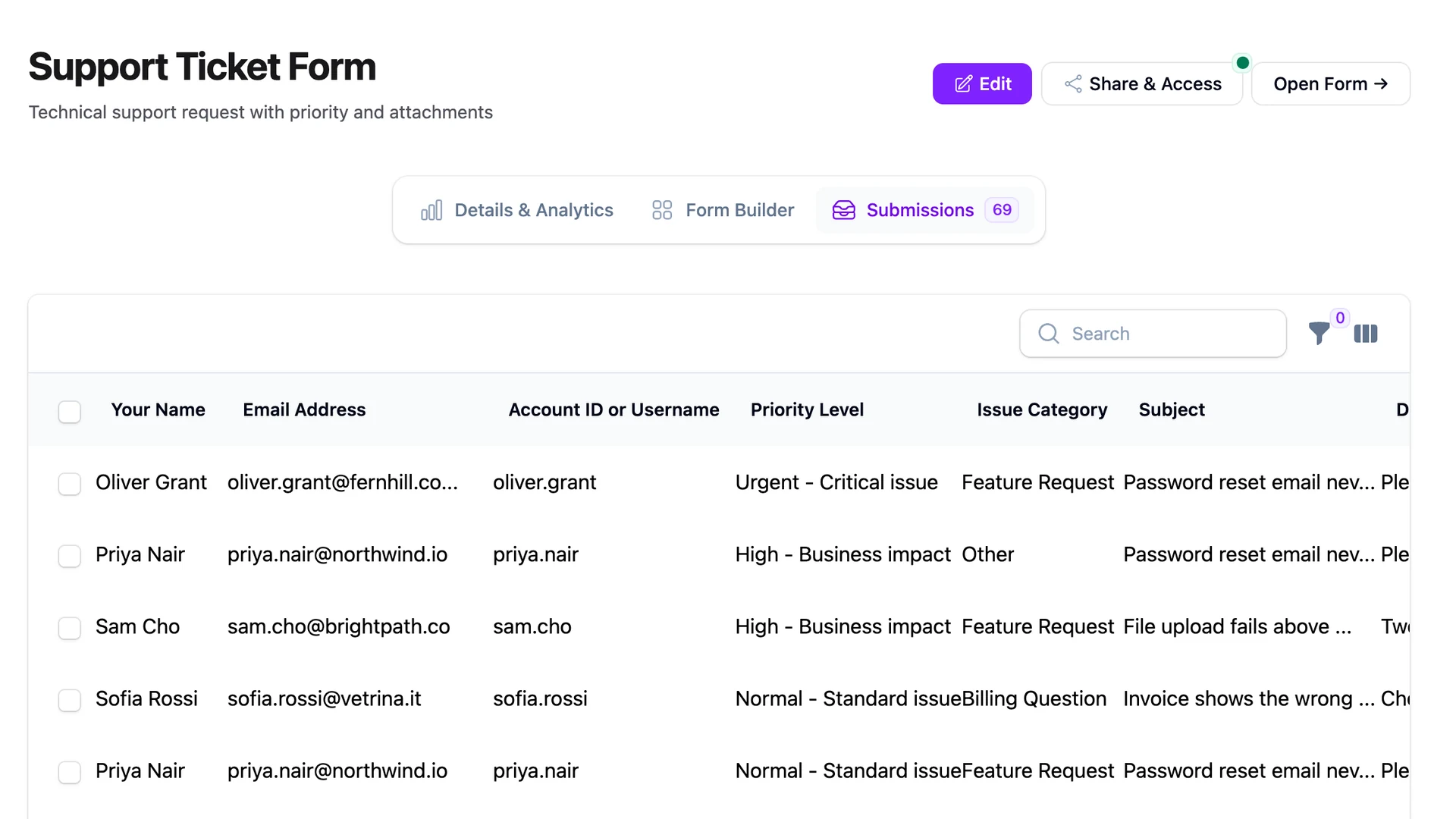
Our support form gets about a hundred submissions a week. Two matter that day. The other ninety-eight are variations of "how do I reset my password" — fine messages, the kind you batch on Wednesday afternoon. The case for an AI classifier on a Laravel form submission pipeline starts there: two signals buried in ninety-eight.
The two that matter live in the same Laravel form submissions table as everything else. A customer whose webhook stopped firing twelve hours ago is one row above someone asking a billing question that can wait a week. By the time we get to the urgent one, the customer has gone to bed in another timezone, and we've burned the goodwill on response time.
The obvious fix is a priority dropdown. Add a "How urgent?" field with three options. Let the user self-select. That fix doesn't work and you know why: every submission comes in as High. Nobody picks Low. People who pick Medium are signalling they're polite, not that the issue isn't urgent. The dropdown is a noise generator with the volume turned up.
What we need is to classify form submissions in Laravel without asking the user. Read the body. Decide the label. Route the urgent ones to a fast channel and leave the rest in the queue. In 2026 that's no longer a moonshot — it's a small language model call inside a FormSubmitted listener. The whole thing fits in fifteen lines and costs a few cents a week.
How to classify form submissions with AI in Laravel
Hook the FormSubmitted event with a Laravel listener that sends the submission text to a small language model, asks it to pick one label from a closed taxonomy you define, and writes the predicted label to the submission's metadata. Route urgent labels to a fast channel and let the rest queue. No retraining. No vector database. No agentic loop.
The minimum viable approach
The trap with anything called AI is scope creep. You start with "tag the submission" and end with a RAG system, an evaluation harness, and a vector database you forgot to back up. Resist that.
Here's what the system needs:
- A
FormSubmittedlistener. It already fires every time a form is submitted, with the form and the submission attached. We're going to hook it. - A small language model call. One prompt. One submission. One label back. No conversation. No memory. No tools.
- A place to store the label. The submission's metadata column. We're not changing the schema.
- A routing decision. If the label is "urgent", page a human. Otherwise, queue normally.
That's the entire system. No fine-tuning. No training data. No model hosting. The model has read enough English to know "my webhook stopped firing" is more urgent than "love the new docs page". We don't need to teach it that — we need to ask the question well.
Picking a model
Cheap and fast wins. Classification doesn't need a frontier model.
The work we're asking the model to do is closer to spam filtering than to writing a poem. It reads a short body, compares it against a fixed list of labels, and picks one. That's a job a small, fast model does well, and it's a job where the latency budget matters more than the IQ ceiling. If the call takes four seconds, the user notices the form hangs. If it takes under one second, nobody notices anything.
In practice that means a small classification-grade model — Claude Haiku, GPT-4o-mini, or whatever the current equivalent is by the time you read this. They all sit in the same price band: a tiny fraction of a cent per submission at the body sizes most forms produce. Latency lands under a second on the median call. Reliability is the part nobody talks about: the same model on the same prompt gives the same answer most of the time, but not always. We'll handle that in the wiring.
Any LLM with a structured-output mode works. The model isn't the differentiator. The taxonomy and the prompt are.
The prompt
The prompt has one job: get a single label back, every time, from a list you defined upfront.
A one-shot classification prompt for a support form looks like this:
You are a support triage classifier. Read the message below
and return one label from this list, with no explanation:

- urgent_outage     (something is broken in production for the user)
- billing           (questions about invoices, refunds, plans)
- how_to            (the user is asking how to use a feature)
- bug_report        (a defect that is not blocking the user)
- feedback          (compliments, suggestions, opinions)
- spam              (not a real support request)

Message:
"""
{body}
"""
Two details matter. First, the labels are short snake_case strings — easy to compare, store, and route on. Second, the taxonomy is closed. Six labels. Not "and anything else you think fits." The model is good at picking from a list and bad at inventing a new category that's consistent with last week's categories.
Use the model's structured-output feature so the response is always one of those six strings. Anthropic documents this for Claude, and the same pattern works on every major provider. Without structured output, you'll get answers like "I'd say this is mostly a billing question with a hint of bug" — which is interesting and useless.
Wiring to FilaForms
FilaForms doesn't ship AI classification. What it ships is the FormSubmitted event you hook into — the model call is yours.
The listener looks like this:
final class ClassifySubmission implements ShouldQueue
{
    public function handle(FormSubmitted $event): void
    {
        $body = collect($event->submission->data)
            ->only(['message', 'description', 'body'])
            ->filter()
            ->implode("\n");

        if (blank($body)) {
            return;
        }

        $label = app(Classifier::class)->classify($body);

        $event->submission->update([
            'metadata' => [
                ...$event->submission->metadata?->toArray() ?? [],
                'ai_label' => $label,
            ],
        ]);

        if ($label === 'urgent_outage') {
            UrgentSubmissionPaged::dispatch($event->submission);
        }
    }
}
Three points worth naming. The listener implements ShouldQueue so the user's submit response doesn't wait on the API call — the model runs out of band. The label is written to metadata, not to a new column, so the schema stays clean. And the routing decision lives in one if. Everything downstream — Slack, PagerDuty, the outgoing webhooks layer, an internal queue — fans out from there.
The cost math
A hundred submissions a week, at roughly $0.001 per call on a small classification-grade model, is ten cents a week. Five dollars a year. Anchor the number against Anthropic's current pricing and you'll land within a factor of two depending on body length and model choice.
The frame that matters: the cost of missing one urgent ticket — the customer who churns, the deal that stalls, the on-call you didn't page — is larger than a year of inference. The math doesn't break unless your form gets ten thousand submissions a week, at which point you'd revisit the model choice, not the pattern. Lead scoring is the same problem with a different taxonomy, and the same math holds — the lead form template that converts is a good place to apply this next.
What we got wrong
The first version had no taxonomy. I asked the model to just describe what came in.
It gave me fifty different labels across a hundred submissions. "Authentication question." "Login issue." "User can't log in." "Account access problem." "Password reset request." Same intent, five labels, none of them comparable. The dashboard was useless. The routing rules were impossible to write because every new submission introduced a sixth phrasing.
The lesson is the kind of thing that's obvious once you've burned a week on it. Classification needs a closed taxonomy. Always. If the labels aren't fixed before the first call, you don't have a classifier — you have a thesaurus running on someone else's GPU. Pick six labels. Argue about them for an hour with whoever owns the inbox. Then ship.
Close
Hooking an LLM into a FormSubmitted listener is the smallest useful AI integration I've shipped. No vector database. No training. Fifteen lines of Laravel and a closed taxonomy.
The same pattern bends to other label sets. Sentiment scoring on NPS responses is the same listener with a different prompt — coming up in the NPS survey walkthrough. Lead scoring is the same listener with a third taxonomy. The infrastructure is the event, the storage, and the routing — the model is the cheap part.
If you want a form whose submissions you can search, label, and route without writing a controller, FilaForms gives you the dashboard and the event. The classifier is fifty lines you write once.