FilaForms
Waitlist Forms That Build Anticipation (and Tell You Who's Serious)
Waitlist Forms That Build Anticipation (and Tell You Who's Serious)
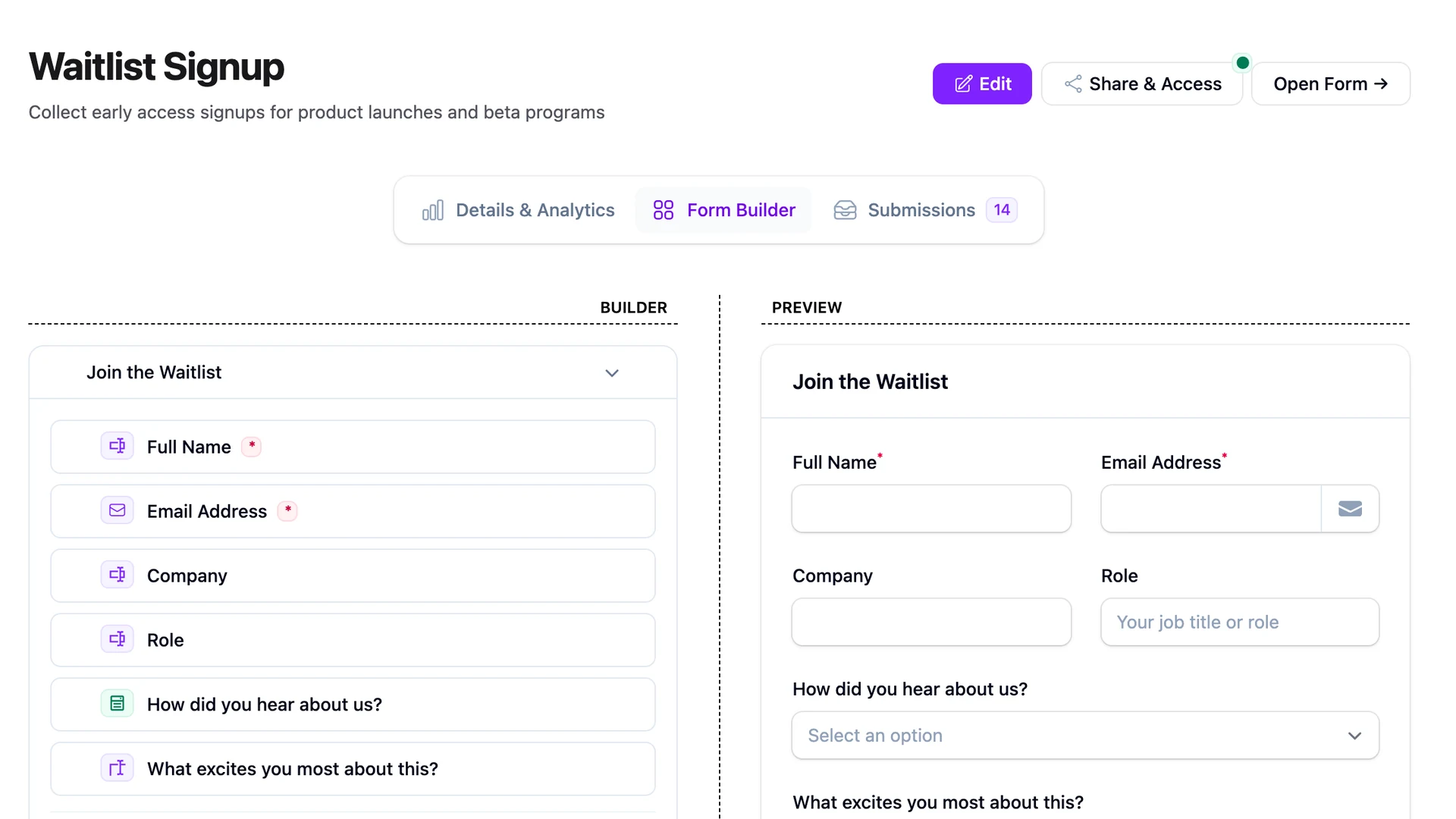
A waitlist form with one email field is a counter. You'll get to a thousand signups, post the screenshot on Twitter, and then open access to find 50 of those thousand convert. The other 950 forgot they signed up. They tapped the button on a Tuesday in March because the headline was sharp, and by July the product was a tab they'd already closed.
I've shipped two of these the easy way and both behaved the same. A waitlist form in Laravel that's only an email field is doing the easy half of the job — capturing the address. The hard half is sorting who's serious from who's idle, and one extra question, asked at the right moment, does most of that work for you. The point of this post is that question and what to do with the answer.
This isn't a referral-leaderboard pitch. It's a three-field form, an honest post-submit page, and a FormSubmitted listener that puts the signup on a launch sequence so that when access opens, the list remembers it asked for this.
The 3-field waitlist
The 3-field waitlist asks for an email, one open-text question, and an optional role or priority dropdown for B2B. That's it. The open-text field is where the sorting happens; the role field is enrichment for ranking who gets early access first. Anything more is a friction tax on a stranger who hasn't seen the product yet.
- Email. Required. Validated. The reply channel for everything that follows.
- What's the one thing this should solve for you? Optional, open text, single line. No placeholder text trying to lead the answer. This is the field that pays for the form, and the next section is about why.
- Role or priority. Optional. Dropdown — "founder, engineer, ops, marketing, other" — only useful if you're shipping for a specific persona and want to open access to that persona first. Skip it on a consumer waitlist.
Three fields, two of them optional. A user who fills only the email is on the list. A user who answers question two is on the shortlist.
Why the open-text field is the whole game
The open-text field looks soft. It isn't. It's the same open-text pattern that carries the lead-gen template, and it does the same work here: it gives you the prospect's words, in their framing, before you've biased the answer with your buckets.
A dropdown forces the user to pick the closest option from a list you wrote in advance. Your list is wrong, because you wrote it before talking to this person. Open text gives you back what the person brought. Three rough shapes show up over and over:
The vague one — "Looks interesting, curious to try it." This is a polite click. They'll forget the product exists in a week. Useful to know.
The specific one — "We onboard 40 customers a month and the form they fill out is a Google Doc someone copies and renames. It's a mess." That person has handed you the cold-open of the launch email. You couldn't have written that dropdown option in advance.
The wrong-fit one — "Looking for a Typeform alternative for surveys." Maybe a fit, maybe not, but you now know the framing they brought. That's worth more than every job-title dropdown on the internet.
The field is the filter. Most of the list will skip it. The ones who answer are the ones to email first.
The "thanks" page is half the form
The post-submit page is where anticipation is built or lost. A blank "Thanks, we'll be in touch" page is a missed moment. The pattern that works has three pieces: a confirmation, a position tease, and a share ask.
The confirmation is one sentence — "You're on the waitlist. We'll email you the week before access opens." Nothing more. Don't pretend you'll send weekly updates if you won't.
The position tease is the part people screenshot. "You're #237 in line." FilaForms doesn't ship a built-in waitlist counter, but you don't need one — the position is FormSubmission::where('form_id', $form->id)->count() after the submission saves, rendered on a custom thanks page. Cheap to build, useful for momentum, and honest in a way that the fake-position widgets aren't.
The share ask is the third piece. "Move up the list — send this to one person who'd care." No referral leaderboard, no points system. Most people won't share. The ones who do are telling you something.
Auto-subscribe to a launch sequence
The form collects the email; the launch sequence converts it. FilaForms fires a FormSubmitted event with the form and submission attached, and a listener on that event is the place to subscribe the signup to your email tool with a waitlist tag.
A 30-line listener covers it. Pull the email out of the submission payload, post to your ESP's API with the tag, log on failure. The forward link below walks through the Mailchimp wiring end-to-end if that's the ESP you're on — auto-subscribe waitlist signups to your launch sequence covers the listener, the tag, and the retry behavior.
If your ESP isn't on the supported list, FilaForms' outgoing webhooks get the same payload to any HTTPS endpoint with retries, so a Zapier or n8n step picks up the rest.
What to measure
Submission count is the obvious metric. It's also the one that lies. Three numbers tell the real story.
Signups per week, trending — flat is fine; falling for three weeks means the headline stopped working.
Open-text answer rate — what percentage of signups answer question two. Anything north of 30% is healthy.
Launch-email response rate — what percentage of the list opens, clicks, or converts when access opens. This is the only one that matters at launch, and it's the one the open-text field moves the most.
FilaForms tracks form starts and completes on the submissions analytics view, so the completion-rate side is covered. The launch-side numbers come from your ESP.
What we got wrong
The first waitlist I shipped had no follow-up between signup and launch. The assumption was that the launch email would carry the conversion on its own. It didn't. The list had been sitting cold for three months and most of it had forgotten the product existed. Conversion sat around the low single digits.
The fix was unromantic — a "checking in, here's what we've been building" email at week two and another at week six. Same list, same launch email, conversion rate jumped into double digits. The waitlist isn't a list of people who'll buy; it's a list of people you have to keep awake until you launch. One email field doesn't do that. Two emails between signup and launch do most of it.
That's the waitlist
Three fields, one of them doing the heavy lifting, a thanks page that builds anticipation honestly, and a listener that puts the signup on the sequence that converts it. Most of the work is the question you ask and the emails you send between now and launch.
If you haven't set up FilaForms yet, you can grab FilaForms here. When you're ready to wire the launch sequence, the Mailchimp wiring for waitlist signups is the next read.