FilaForms
NPS Surveys in Laravel: A 90-Second Form That Captures the Right Thing
NPS Surveys in Laravel: A 90-Second Form That Captures the Right Thing
The NPS survey email landed in my inbox the same week the Delighted invoice did. The survey was three questions long and took me forty seconds. The invoice was $224 a month. I sat there doing the math on the back of the renewal notice: one number, one follow-up question, a Slack ping when a detractor shows up. That's what we used the tool for. That was the whole job.
AskNicely sits above $300 a month at the team tier. Wootric (now InMoment) is enterprise pricing — you ask for a quote and a salesperson calls you back. The pitch is journey mapping, cohort analysis, dashboards. The reality, for most SaaS teams under fifty thousand users, is a number that drifts up and down quarter over quarter and an inbox full of "what's the main reason for your score?" answers nobody has time to read.
If you're running a Laravel app and you already have a forms layer, the home-rolled version of this is a Friday afternoon. Two fields, one Slack channel, one weekly review. The math on when buying makes sense kicks in past a certain scale — when you need branching surveys, multi-language sends, or a customer success team that lives inside the tool. Below that, the build pays for itself in the first month.
How to run an NPS survey in Laravel
An NPS survey in Laravel needs two things: a 0–10 score field and an open-text follow-up. The score gives you the trend; the open text gives you the queue of things to fix. Everything else — the dashboard, the cohort breakdown, the journey map — is downstream of those two columns in your database.
The form lives wherever your customers are: in-app modal after a meaningful event, or an email link sent on a schedule. The data lands in the same submissions table every other FilaForms form writes to, and the routing fans out from there.
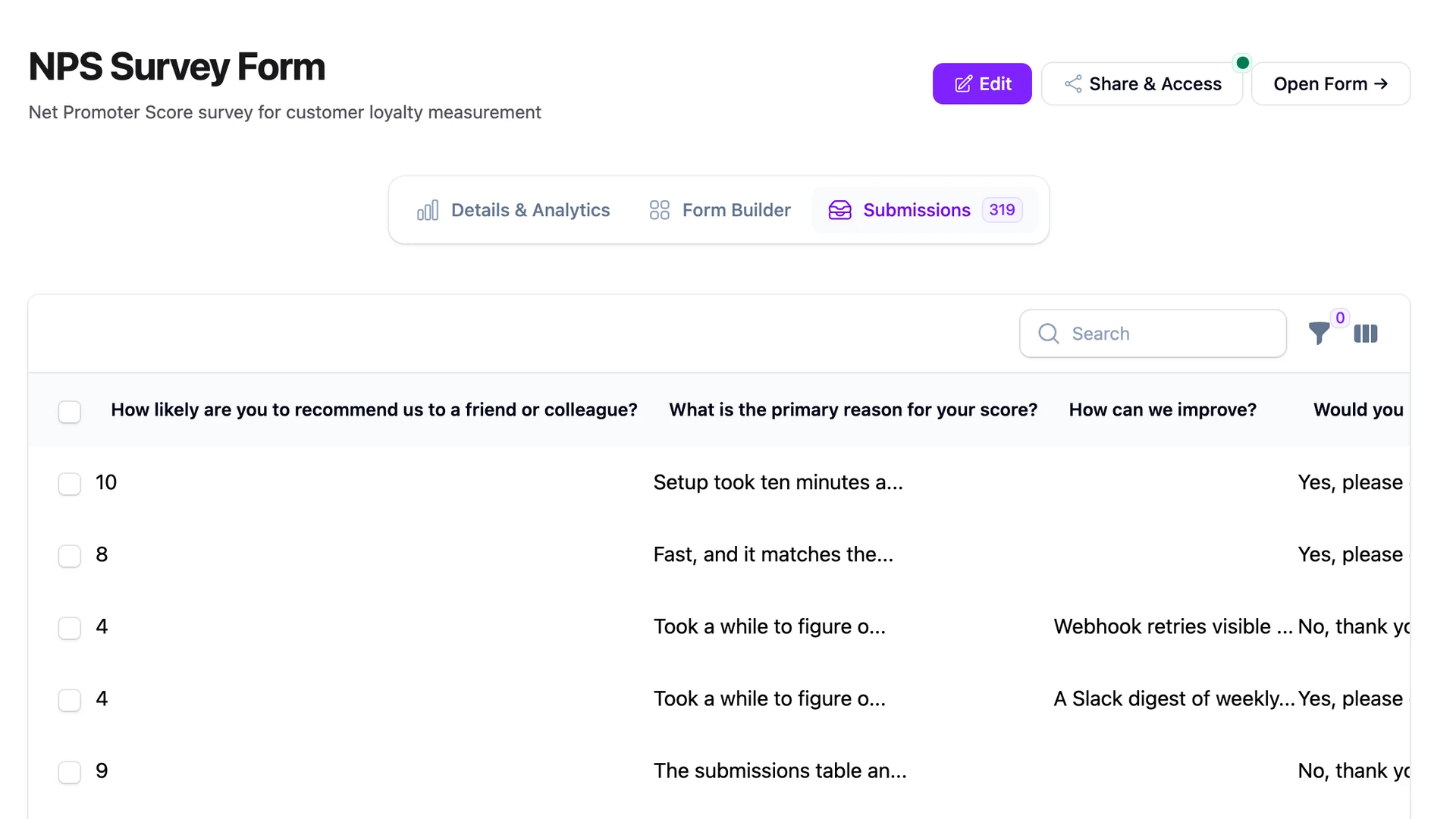
The two-field NPS form
The two-field NPS form has exactly two fields. Adding a third is the first mistake.
- Score (0–10). A Radio field with eleven options, labeled 0 through 10. The FilaForms Radio field type supports
REQUIRED,IN, andNOT_INvalidation, which is what you need. The alternative is a Number field withINTEGER,MIN: 0, andMAX: 10rules — that works too, and renders as a numeric stepper instead of a row of buttons. Pick Radio on mobile-heavy traffic; pick Number if your audience is happy typing. - What's the main reason for your score? A Textarea field, optional, one line of placeholder text. No character limit on the form. No "minimum 20 characters" rule. If a customer wants to type two words, let them — two words from a detractor is a gift.
That's the form. Not a name field — you already know who they are if you sent them the link. Not an email field — same reason. Not a "would you recommend us to a colleague" follow-up — the score answers that. Anything else is a tax on the response rate.
Why score plus open text is the whole game
The score on its own is a vanity metric. It moves up, it moves down, you don't know why. The open text on its own is a pile of feedback with no severity attached. Together, they're a queue: every 0–6 score with a sentence of explanation is a ticket worth reading on Monday morning.
The teams that get value out of NPS read the detractor open text every week. They tag the themes — onboarding friction, missing integrations, pricing — and they ship against the top theme. The number then moves because the underlying complaints stopped showing up. The teams that ignore the open text watch the number bounce around and conclude NPS is broken. It isn't broken; the open text was the whole point.
This is also why an optional open text beats a required one. A required textarea gets filled with "n/a" and "good" and noise. An optional one filters for the customers who want to tell you something — and those are the answers worth the meeting.
The scoring framework
The Net Promoter Score formula is the percentage of promoters minus the percentage of detractors, on a scale from −100 to +100.
- Promoters: scores of 9 and 10. Customers who would recommend you. The expansion path.
- Passives: scores of 7 and 8. Customers who are happy enough but won't tell anyone. Ignored in the formula.
- Detractors: scores of 0 through 6. Customers who are at risk. The retention path.
Calculate the percentage of responses in the promoter bucket, calculate the percentage in the detractor bucket, subtract. A score of +30 means 30% more of your respondents are promoters than detractors. Industry benchmarks vary widely — comparing your B2B SaaS NPS to a consumer-app NPS is comparing different sports. The number that matters is the delta against your last quarter, not against an industry average pulled from a vendor's blog post.
When and how to send
The send is the part most teams get wrong. They blast every customer on the first of the month, get a 4% response rate, and conclude that NPS doesn't work for them. The fix is sending after a meaningful event, not on a calendar.
The events that produce real responses:
- 30 days after signup, when the customer has used the product enough to have an opinion.
- After a subscription renewal, when the customer has voted with their wallet.
- After a support ticket is closed, for a transactional read — though this is closer to CSAT than NPS.
The channel matters too. An in-app modal after a workflow completes gets a higher response rate than an email, because the customer is in your product and engaged. An email link works for re-engagement and for customers who don't log in daily. We run both: in-app for active users, email for quieter accounts.
Sample size is the other thing nobody mentions. Below 50 responses, the score is noise. A single bad week from a single power user can move a 35 to a 20. Wait until you have a real cohort before you let an executive see the number, or you'll spend the next standup explaining variance.
Where the data flows
Two fields land in the submissions table. The interesting work happens after.
The first move is a Slack digest of detractors. Promoters and passives can wait for the weekly review; detractors are the queue you want to see the same day. A Laravel event listener on FormSubmitted, a score check, a Slack webhook:
public function handle(FormSubmitted $event): void
{
    $score = (int) $event->submission->data['score'];

    if ($score >= 7) {
        return;
    }

    $this->slack->send(channel: '#nps-detractors', text: $event->submission);
}
That gives the customer success team a same-day signal without drowning them in noise. Pair it with the broader pattern from sending form submissions to Slack with FilaForms and you've got the daily digest dialed in.
The second move is theme clustering on the open text. Reading every detractor comment by hand works for a month. Past that, you want to auto-tag the open-text answers by theme — onboarding, pricing, missing integrations, performance — so the Monday review starts with counts, not a wall of text. For pipelines that need to fan out further — into your CRM, your data warehouse, an internal dashboard — FilaForms' outgoing webhooks are where you wire the rest.
What we got wrong
Our first NPS form asked six questions. Score, reason, would-you-recommend, what-feature-do-you-miss, how-likely-are-you-to-renew, anything-else. It read like a focus group. The response rate hovered at 5%. We sent it to a thousand customers and got fifty answers, half of them with at least one field skipped.
We cut it to two fields — the score and one open-text "what's the main reason?" Response rate jumped to 18%. Same audience, same send schedule, three times the data. The five extra questions weren't gathering more information; they were filtering out the customers willing to answer at all. Every field on an NPS form is a tax. We were charging six.
That's the NPS form
A score field, an open-text follow-up, a Slack digest of detractors, and a clustering pass on the open text. Friday afternoon to build, twenty minutes a week to read.
If you haven't set up FilaForms yet, you can grab FilaForms here. For the Slack-detractor wiring, the Slack integration walkthrough covers the webhook setup end to end.
Delighted's pricing page is the source for the $224/month figure at the top of this post.